
A Willingboro IT company traced a spoofed login screen back to one click inside a webmail inbox, and the way it got there should worry every small organization in the area.
Phishing never stopped working; it changed shape to get around the things built to stop it. Spam filters improved, so the emails got more convincing. People learned not to click strange links, so the attacks stopped looking strange. The result is what showed up on a desktop at a South Jersey organization: an app that looked exactly like the one you would use to pay your internet bill, sitting in plain view, waiting for somebody to type a password into it.
What phishing is: a message built to look like it came from someone you already trust, sent to get you to hand over a password, a payment, or access to a computer. It might pretend to be your bank, your internet provider, your pastor, or someone in your own office. Nothing about it has to be technical, and that is what makes it work. It succeeds by looking normal.
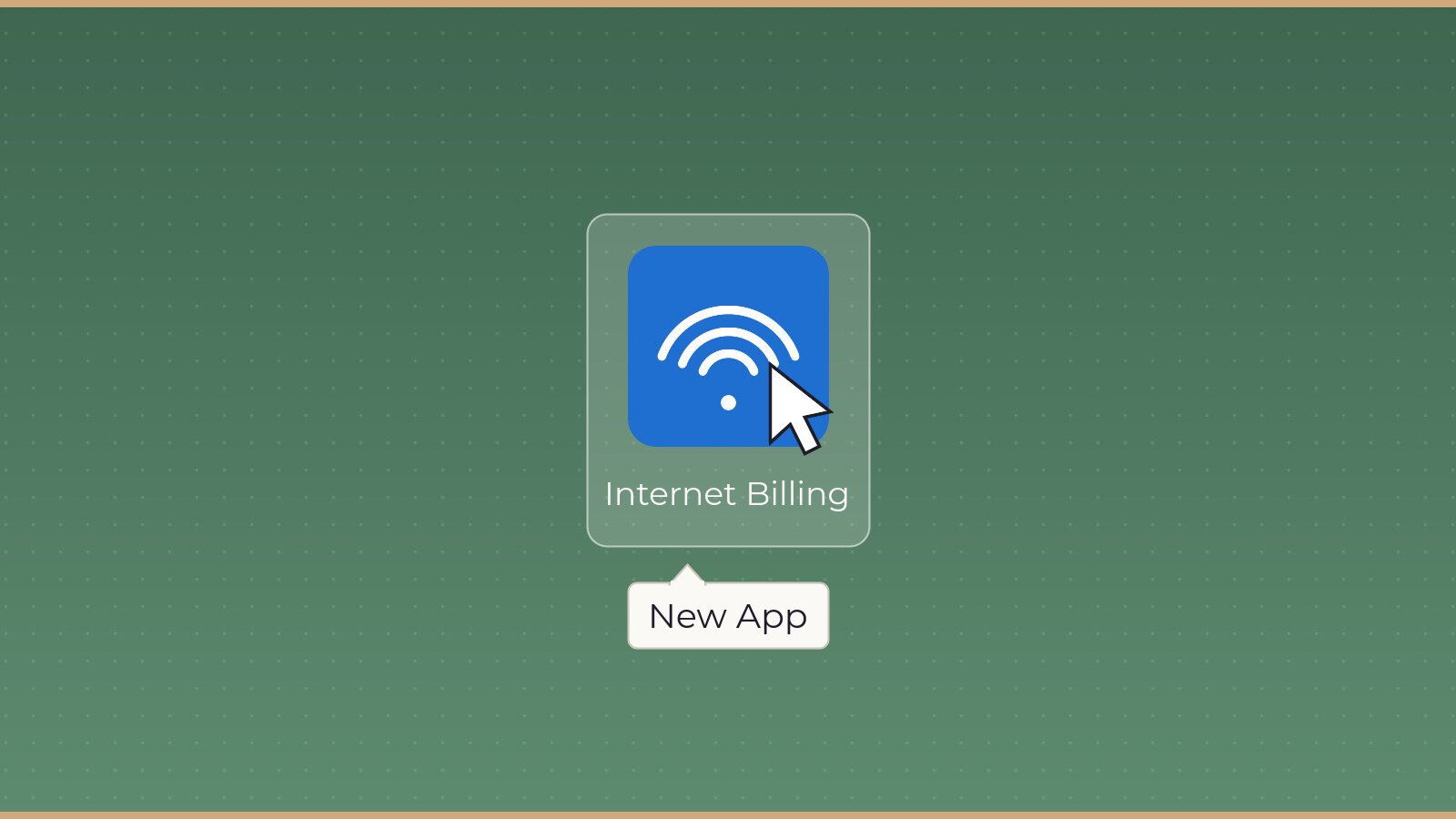
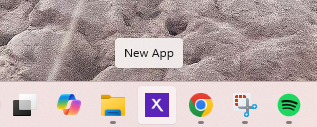
The icon matched. The colors matched. Clicking it opened a login screen asking for a username and password to pay the Xfinity bill, and the fields were placed where a person would expect them to be. The only thing that gave it away was the name. Hovering over the icon showed two words that no real company would ever ship a product under: New App.
Nobody went looking for it. What happened was that the app kept popping up, and one person at the organization thought that was strange enough to mention it and call NelTec. That call is the reason this story has an ending worth telling. NelTec, based in Willingboro, was doing IT consulting at the time and getting brought in job by job rather than kept on retainer, and this was one of the jobs that changed how the company operated.
Working backward through the browser history
The obvious question was how the app got onto the machine, because nobody at the organization remembered downloading an Xfinity app and nobody remembered installing anything at all.
NelTec traced the download history across every browser on the computer, and the trail led back to a single click inside a webmail inbox. Someone opened a phishing email, clicked what was in it, and closed it. The install ran in the background with no prompt, no confirmation window, and no moment where the person had a chance to stop and think about what they were agreeing to. By the time anyone looked at that desktop, the app had already been sitting there.
Sitting there is the entire point. An attacker who steals an Xfinity password is not interested in a cable bill. They are after the email address and password combination that most people reuse across other accounts, and the payment card already saved in the account. From there it moves to the bank, to the donor database, and to payroll, and by the time the organization notices, the person who clicked has forgotten the email ever existed.
What NelTec did about it
Quarantining and deleting the app was the fast part, and it was the least important part.
The rest of the work was making sure the next one gets caught before anybody sees it. NelTec installed antivirus protection on the machine and built out a managed IT plan for the organization, which is the kind of ongoing coverage the company now offers as its main service. Under that plan the computers can be patched into at a moment’s notice, so when something looks wrong NelTec can look at the machine while the person is still sitting in front of it instead of three days later when the damage is already done.
That difference matters more than any software on the machine. Buying better antivirus is not the solution by itself. The way an organization actually stays protected is by having somebody whose job is to notice, because most small organizations in South Jersey do not have that person. They have somebody who is good with computers, and that person already has four other jobs.
Why nonprofits and older audiences get targeted
Phishing campaigns are not random. Attackers choose targets the same way anyone chooses targets, by looking for the softest way in, and nonprofits, churches, community organizations, and small offices with older staff or older membership share a set of weaknesses that make them easier than most.
- Shared computers that several people use, so nobody feels responsible for what gets installed
- Email addresses published on a website or printed in a bulletin, which makes them easy to find
- Little or no IT budget, and no contract with anyone watching the machines
- A culture of trusting whoever sent the message, because in a small community you usually know them
The numbers back this up. According to the FBI’s Internet Crime Complaint Center (2025), phishing and spoofing produced 191,561 complaints last year, and among victims aged 60 and older it was the single most reported crime type, with 48,064 complaints. That age group lost $7.748 billion across all internet crime, averaging $38,500 per victim. Those figures show that older adults are not being hit by accident, and that the organizations built around them are sitting in the same line of fire.
Add to that a detail that makes this specific attack smart: a fake bill from a company you actually pay is a strong lure. Everybody has an internet bill and everybody has had a moment of wondering whether they paid it. The message does not have to be clever. It has to arrive on the right day.
What to look for
You do not need to be technical to catch most of this.
Hover before you click. Hovering over a desktop icon shows its real name, and hovering over a link in an email shows the real destination at the bottom of the window. The fake Xfinity app gave itself away with two words.
Pay bills the way you always pay them. Type the company’s website in yourself, or open the app you installed yourself. Never pay from a link inside an email, even one that looks right.
Treat urgency as a warning sign. “Your service will be shut off” and “action required today” exist to stop you from checking.
Say something when a machine acts strange. A pop-up that will not go away, a program nobody remembers, a browser that opens on its own. This entire case turned on one person who thought a repeating pop-up was worth mentioning.
Ask before you install. If an organization keeps one rule, make it this one. Nothing gets installed on a shared computer without a second person looking at it first.
The part worth repeating
The person who clicked did nothing careless. The email looked real, the app looked real, and the login screen looked real, and that is the whole design of the thing.
What stopped it was one person deciding that something looked off and picking up the phone. Everything NelTec did came after that call. Although better software and a managed plan are what keep the machines clean going forward, the habit that saved this organization cost nothing and is available to every church, nonprofit, and small office in South Jersey right now. Say something when the computer acts strange, and say it the first time it happens.
Get The Monthly Find
One email a month with the restaurants, shops, nonprofits, events, and local businesses worth knowing around South Jersey.
Join The Monthly FindMonthly. Free. No spam. Unsubscribe anytime.